Physical Address
304 North Cardinal St.
Dorchester Center, MA 02124
Physical Address
304 North Cardinal St.
Dorchester Center, MA 02124

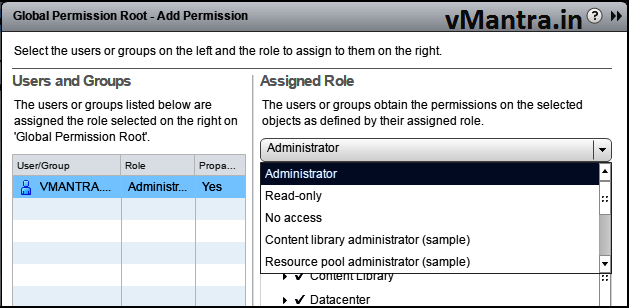
vCenter Global permissions provide the privileges to a user or group to view or/and manage all objects in each of the inventory hierarchies in the deployment. Generally we apply the Global Permissions to a global root object that spans solutions. If you assign a global permission and do not select Propagate, the users or groups associated with this permission do not have access to the objects in the hierarchy. They only have access to some global functionality such as creating roles. In this blog we will discuss about how to add user and Assigning VCSA Global Permissions.
https://<vCenter-FQDN-or-IP address>/vsphere-client.
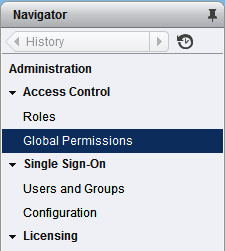
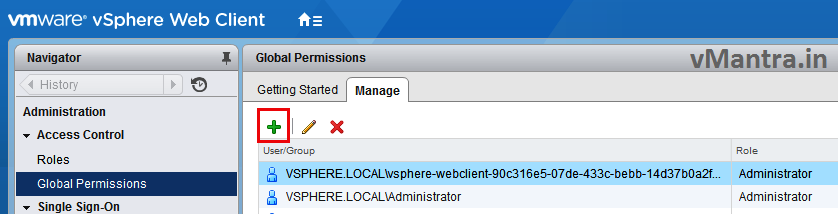
Note: To add the domain you please go through my previous blogs:
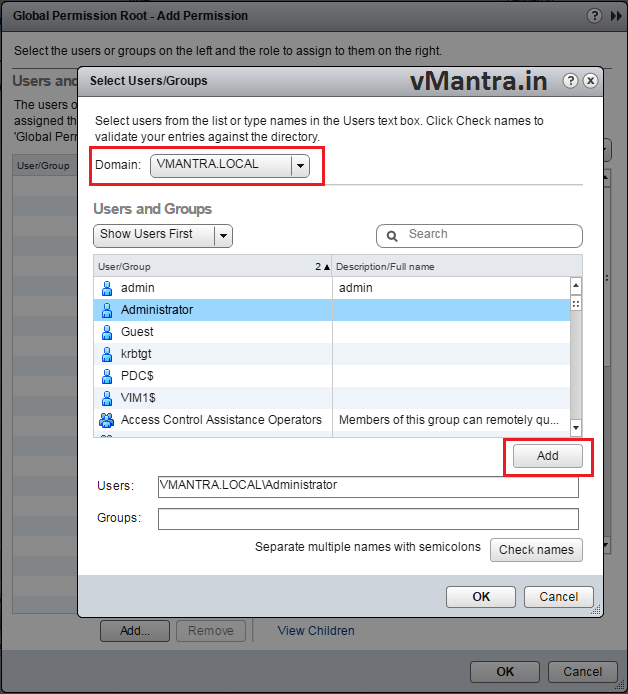
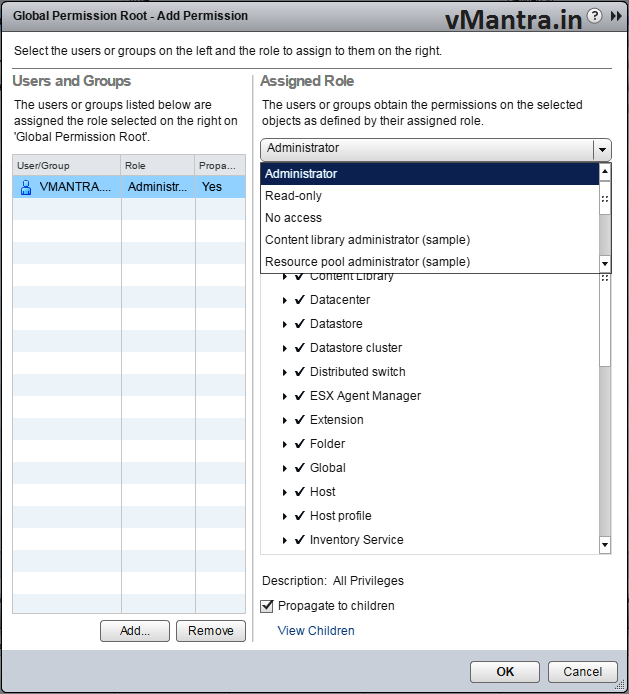
Now Domain User / Group has been added. We can verify this by logout the vCenter server and log-in again with recently added user.

After logged-in with recently added domain user please make sure all the inventory items are visible.
Thanks!!