Physical Address
304 North Cardinal St.
Dorchester Center, MA 02124
Physical Address
304 North Cardinal St.
Dorchester Center, MA 02124

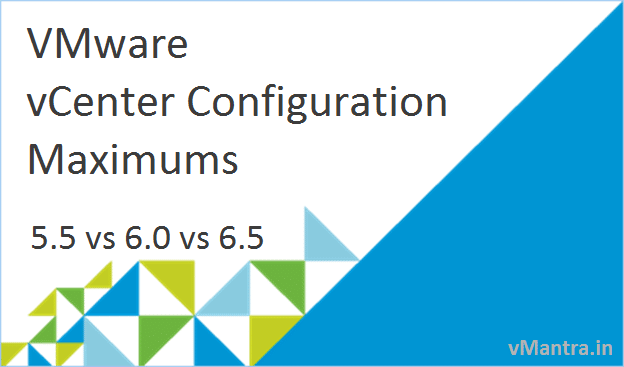
In continuation with my previous blog “VMware Virtual Machine and ESXi Maximums” lets take a look at the comparison of VMware vCenter Maximum supported configurations, where I have included the most recent versions of vCenter Server, 5.5, 6.0 and 6.5. vCenter Configuration Maximums values are fully tested and validated by VMware.
This table shows the maximum supported values of vCenter Server scalability, User interface, vMotion, Content Library, Host Profile, Storage DRS and Platform Services Controller.
| vCenter parameters | vCenter Server 5.5 | vCenter Server 6.0 | vCenter Server 6.5 |
|---|---|---|---|
| vCenter Server Scalability | |||
| Hosts per vCenter Server | 1000 | 1000 | 2000 |
| Powered-on virtual machines | 10,000 | 10,000 | 25,000 |
| Registered virtual machines | 15,000 | 15,000 | 35,000 |
| Linked vCenter Servers | 10 | 10 | 15 |
| Hosts in linked vCenter Servers | 3000 | 4000 | 5000 |
| Powered-on VMs in linked VC | 30,000 | 30,000 | 50,000 |
| Registered VMs in linked VC | 50,000 | 50,000 | 70,000 |
| Number of host per datacenter | 500 | 500 | 2000 |
| MAC addresses per vCenter Server | 65,536 | 65,536 | 65,536 |
| Concurrent Web Clients connections | 180 | 180 | 180 |
| vMotion | |||
| vMotion operations per host (1 Gb/s) | 4 | 4 | 4 |
| vMotion ops per host (10 Gb/s) | 8 | 8 | 8 |
| vMotion operations per datastore | 128 | 128 | 128 |
| Storage vMotion operations per host | 2 | 2 | 2 |
| Storage vMotion ops/datastore | 8 | 8 | 8 |
| Content Library | |||
| Total CL items per vCenter | – | 200 | 2000 |
| Total number of libraries per VC | – | 20 | 1000 |
| Total items per library | – | 200 | 1000 |
| Host Profile | |||
| Profile created | – | 1200 | 500 |
| Profile attached | – | 1000 | 500 |
| Storage DRS | |||
| Virtual disks per datastore cluster | 9000 | 9000 | 9000 |
| Datastores per datastore cluster | 64 | 64 | 64 |
| Datastore clusters per vCenter | 256 | 256 | 256 |
| Platform Services Controller | |||
| PSCs per vSphere Domain | 8 | 10 | |
| Objects per vSphere Domain | 1,000,000 | 1,000,000 | |
| Active Directory or OpenLDAP Groups per User |
1015 | 1015 | |
The Cluster and Resource Pool table represents the comparison of various limits of Cluster and Resource Pool parameters in different versions of vSphere.
| Cluster and Resource Pool Parameters | vSphere 5.5 | vSphere 6.0 | vSphere 6.5 |
|---|---|---|---|
| Hosts per cluster | 32 | 64 | 64 |
| Virtual Machines per cluster | 4000 | 8000 | 8000 |
| Resource pools per cluster | 1600 | 1600 | 1600 |
| Resource pools per host | 1600 | 1600 | 1600 |
| Children per resource pool | 1024 | 1100 | 1100 |
| Resource pool tree depth | 8 | 8 | 8 |
Comparison of Fault Tolerance or FT configuration maximums can be found here:
| Fault Tolerance parameters | vSphere 5.5 | vSphere 6.0 | vSphere 6.5 |
|---|---|---|---|
| vCPUs per FT VM | 1 | 4 | 4 |
| RAM per FT VM | 64GB | 64 GB | 64 GB |
| Virtual disks | 16 | 16 | 16 |
| FT Virtual Machine per host | 4 | 4 | 4 |
| Virtual CPU per host | – | 8 | 8 |
| FT Virtual Machines per cluster | – | 98 | 98 |
| FT Virtual Machines vCPU per Cluster | – | 256 | 256 |
Virtual Switches like vSphere Standard Switch (VSS) and vSphere Distributed Switch (VDS) configuration maximum information is given below:
| vSphere Networking Parameters | vCenter Server 5.5 | vCenter Server 6.0 | vCenter Server 6.5 |
|---|---|---|---|
| Distributed switches per vCenter | 128 | 128 | 128 |
| Hosts per Distributed Switch (VDS) | 1000 | 1000 | 2000 |
| Ports per distributed switch | 60,000 | 60,000 | 60,000 |
| Ephemeral port groups per vCenter | 1016 | 1016 | 1016 |
| NIOC resource pools per vDS | 64 | 64 | 64 |
| LACP – LAGs per host | 64 | 64 | 64 |
| LACP – uplink ports per LAG (Team) | 32 | 32 | 32 |
| Static/Dynamic port groups per VDS | 6500 | 10,000 | 10,000 |
| Static/dynamic port groups per vCenter | 10,000 | 10,000 | 10,000 |
Reference: VMware vSphere Configuration Maximums
In my next blog, I will share the comparison of vSAN Storage and vCloud Director’s configuration maximum. If you are looking for VMware Virtual Machine and ESXi Maximums, Please check my previous blog.
Also If you liked my blog, Please Share!!
Thanks!!